This post describes how to prepare the Victim PC for the attack scenario, to run Pass-the-Hash and Pass-the-Tickets attacks against Admin PC.Assuming you already finished lab setup 2/3 and setup an Active Directory join workstation (English OS) you have to do the following steps on your Admin PC.
- Add Victims & Helpdesk Groups to the local administration group
- Install and Import PowerShell ActiveDirectory & GroupPolicy Module
- Create a directory & Exclusion regarding Virus Scanner
- Download files from GitHub
- Create an shortcuts on the public desktop
- Copy the help script to %system32% folder
- Modify the AS2Go Config File
- Test the AS2Go Posh Script
- !!!! Download the malware, like Mimikatz.exe !!!!
Add Victims & Helpdesk Group to the local administration group
One option would be via PowerShell
#if needed
#Set-ExecutionPolicy -ExecutionPolicy RemoteSigned

# Add Helpdesk and PAW Administrators to local Administrators group
Add-LocalGroupMember -Group "Administrators" -Member "SG-AS2Go-Helpdesk"
Add-LocalGroupMember -Group "Administrators" -Member "SG-AS2Go-Victims"

# Check the membership
Get-LocalGroupMember -Group "Administrators"
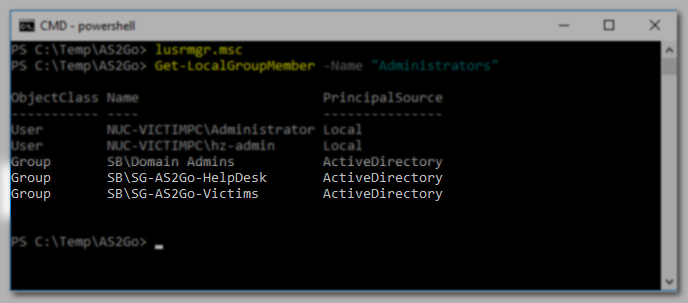
Alternatively, you can also use the Local User And Group Management Console (lusrmgr.msc).
Install and Import ActiveDirectory PowerShell Module
Based on your OS follow this guideline ⬈.
Install and Import GroupPolicy PowerShell Module
GroupPolicy Module | Microsoft Learn
Create directory and add an Exclusion
Create the directory
c:\temp\AS2GoDon’t forget the exclusion
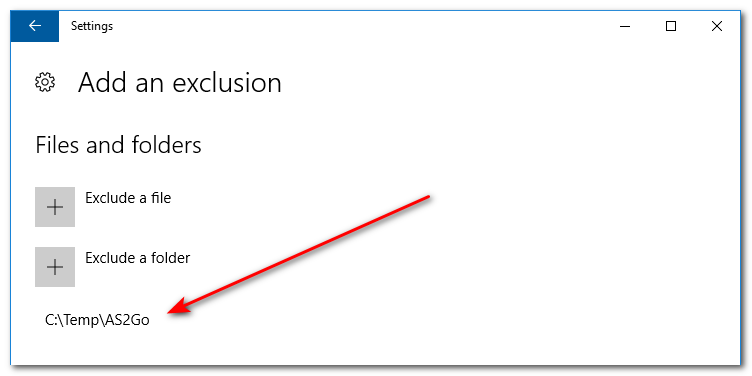
New-Item -Path 'C:\temp' -ItemType Directory
New-Item -Path 'C:\temp\AS2Go' -ItemType Directory
Add-MpPreference -ExclusionPath “C:\Temp\AS2Go”
Download GitHub package
Download files from my GitHub repository Prepare Victim PC ⬈ and save them in the previously created directory.
C:\Temp\AS2Go> dir

 Directory of C:\Temp\AS2Go

00.cmd
AS2Go.ps1
AS2Go.tmp
AS2Go.xml
AS2Go_BD-User.jpg
CreateShortCut_for_PoSH_and_CMD.ps1
step_000.html
step_000.png
step_001.png
step_002.png
step_003.png
step_004.html
step_004.png
step_005.html
step_005.png
step_006.html
step_006.png
step_007.html
step_007.png
step_007_PtH.html
step_007_PtH.png
step_007_PtT.html
step_007_PtT.png
step_008.html
step_008.png
step_009.html
step_009.png
step_010.html
step_010.png
step_011.html
step_011.png
step_012.html
step_012.png
step_020.html
step_020.png
Create the Shortcut via PowerShell
Run the CreateShortCut_for_PoSH_and_CMD.ps1 PoSH script with administrator rights.
$SourceFilePath = "%SystemRoot%\system32\WindowsPowerShell\v1.0\powershell.exe"
$ShortcutPath = "C:\Users\Public\Desktop\PowerShell.lnk"
$WScriptObj = New-Object -ComObject ("WScript.Shell")
$shortcut = $WscriptObj.CreateShortcut($ShortcutPath)
$shortcut.TargetPath = $SourceFilePath
$shortcut.Save()

$SourceFilePath = "%SystemRoot%\system32\cmd.exe"
$ShortcutPath = "C:\Users\Public\Desktop\CMD.lnk"
$WScriptObj = New-Object -ComObject ("WScript.Shell")
$shortcut = $WscriptObj.CreateShortcut($ShortcutPath)
$shortcut.TargetPath = $SourceFilePath
$shortcut.Save()
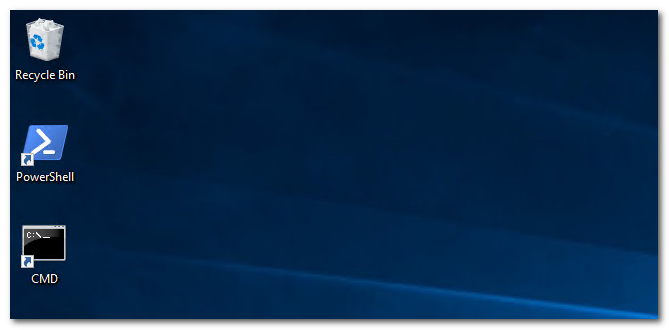
The code creates the PowerShell and CMD shortcuts on the Public Desktop.
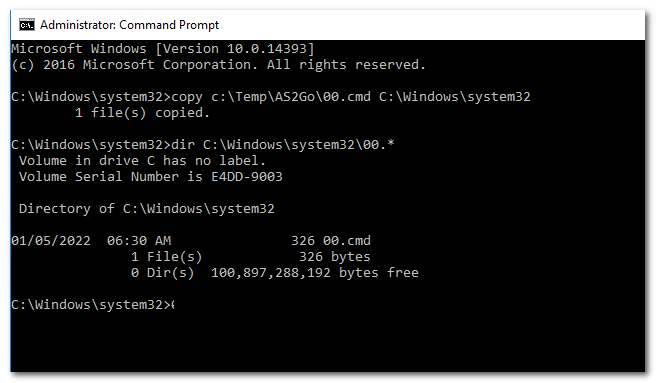
Copy the helper script 00.cmd to folder system32%
copy c:\temp\AS2Go\00.cmd C:\windows\system32The 00.cmd script will help you later to run the attacks without interruptions.
rem save in c:\windows\system32 on VICTIM PC
mode con:cols=150 lines=300
cd c:\temp\AS2Go
color 08
title Attack Scenario to GO - along the kill-chain
cls
whoami
dir %logonserver%\c$
dir \\admin-pc\c$
dsquery group -samid "Schema Admins" | dsget group -members -expand
pause
cls
powershell.exe -file .\AS2Go.ps1
Modify the AS2Go.xml Config File
Open the XML file C:\Temp\AStGo\AS2Go.XML and update the highlighted values
<?xml version="1.0" encoding="utf-8"?>
<!-- c:\temp\AS2Go -->
<Config>
  <Script>
    <add key="Name" value="AS2Go v2.6.0" />
    <add key="Author" value="me@mrhozi.com" />
  </Script>
  <DefaultParameter>
    <!-- Use Case -->
    <add key="UseCase" value="Attack scenario to GO" />
    <add key="DemoTitle" value="Attack scenario to GO - along the kill-chain" />
    <!-- Domain Settings - automatically filled -->
    <add key="mydc" value="[filled automatically]" />
    <add key="myViPC" value="[filled automatically]" />
    <add key="fqdn" value="[filled automatically]" />
    <add key="DomainSID" value="[filled automatically]" />
	<!-- Domain Settings - Changes are required -->
	<add key="mySAW" value="[your AdminPC]" />
	<add key="myAppServer" value="[your DC or AdminPC]" />
    <add key="BDUsersOU" value="OU=Users,OU=AS2Go,DC=sandbox,DC=corp" />
    <add key="MySearchBase" value="OU=Demo Accounts,OU=AS2Go,DC=sandbox,DC=corp" />
    <add key="OfflineDITFile" value="\\DC01\AD-Backup" />
    <add key="globalHelpDesk" value="SG-AS2Go-Helpdesk" />
	<!-- Needed for Lateral Movement & Golden Ticket - Changes are required -->
    <add key="pthntml" value="[value can be set during the attack]" />
    <add key="krbtgtntml" value="[value can be set during the attack]" />
	<!-- MDI Settings - Changes are required -->
    <add key="Honeytoken" value="HZ-Root-Admin@sandbox.corp" />
	<!-- Do NOT change these parameter needed for PtT -->
    <add key="ticketsDir" value="C:\temp\tickets" />
    <add key="ticketsPath" value="c$\temp\tickets" />
    <!-- Parameter -->
    <add key="time2reboot" value="99" />
    <add key="OpenSSL" value="C:\Program Files\OpenSSL-Win64\start.bat" />
    <add key="EnterpriseCA" value="xxx" />
    <!-- Spare part -->
    <add key="SP01" value="PassWOrd!" />
    <add key="SP02" value="xxx" />
    <add key="SP03" value="xxx" />
    <add key="SP04" value="xxx" />
    <!-- no need for modification -->
    <add key="LastStart" value="2022-12-01 00:00:02" />
    <add key="LastFinished" value="2022-12-01 00:13:20" />
    <add key="LastDuration" value="00:13:18 [h]" />
    <add key="LastVictim" value="VI-HerrHoZi" />
    <add key="LastBDUser" value="BD-20221201.001126" />
    <add key="LastStage" value="COMPLETE" />
  </DefaultParameter>
</Config>
Test the PoSH Script
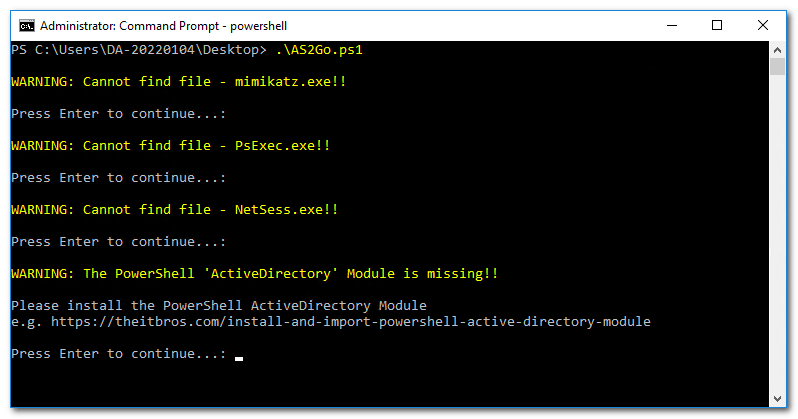
Run the script C:\Temp\AS2Go\AS2Go.ps1 and Press enter to continue …. until you see the page
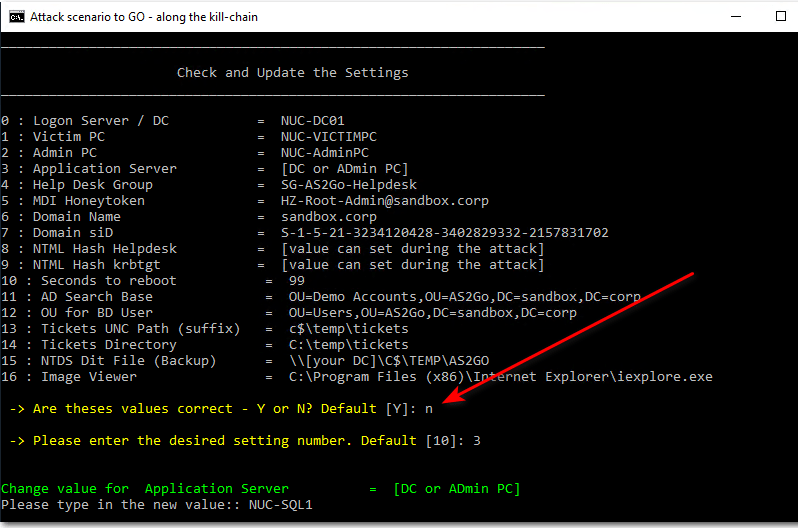
Check and Update the Settings
Hint: To start AS2G0 – you can also run the helper script from the command prompt (as administrator)
c:\00.cmdprobably you will see some warnings.
From this page it is also possible to change the values permanently within config file AS2Go.XML.
Press CTRL + C to terminate the PoSH Script - NOW!!!!! Download the malware !!!!
- latest release of Mimikatz.exe
- latest release of NetSees.exe
- latest release of Psexec.exe
- latest release of Certify.exe
- latest release of Rubeus.exe
- latest release of OpenSSL.exe
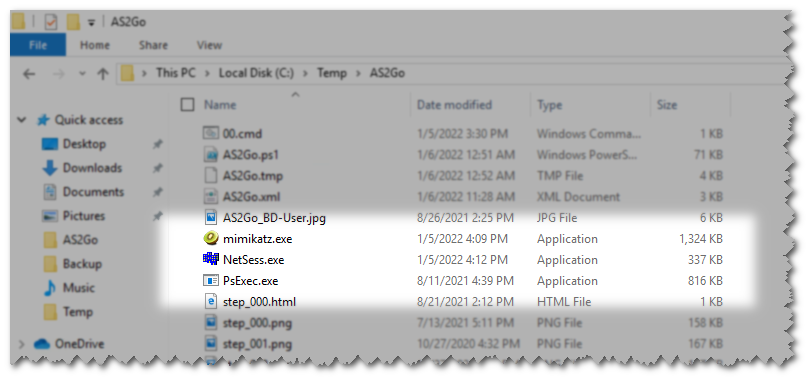
After downloading the tools, just copy the .exe files to directory C:\TEMP\AS2Go.
Ransomware Attack (optional)
Please follow the link ⬈ to add the files to include an Ransomware attack.
 Herr HoZi
2 thoughts on “AS2Go | Lab Setup 3/3 | Victim PC”