This post describes how to handle AS2Go to run the attack!Assuming you finished the attack preparation.
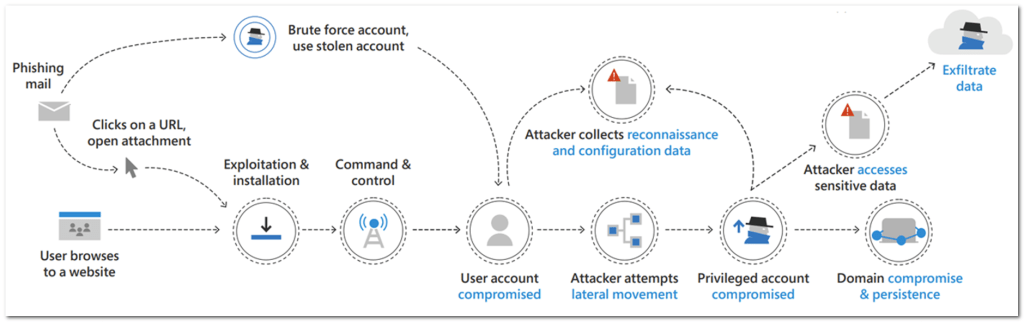
The attack runs step-by-step alone the cyber kill-chain and covers the following attack stages:
- User Account Compromised
- Reconnaissance
- Lateral Movement (Pass-The-Hash & Pass-The-Ticket)
- Privileged Account Compromised
- Access Sensitive Data
- Exfiltrate Data
- Domain Compromised & Persistence
Each attack stage contains several separate steps!For example the attack stage Domain Compromised & Persistence contains 6 separates steps.
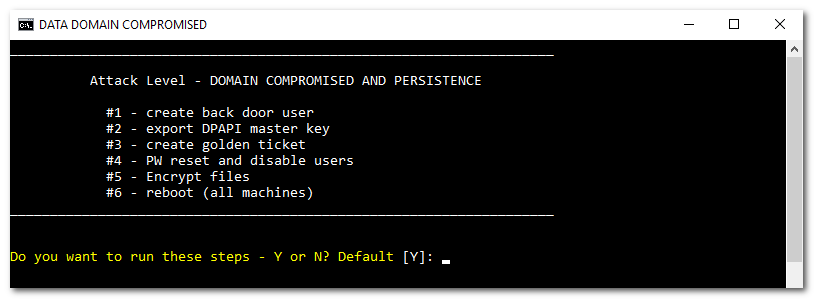
For a better orientation the corresponding terminal background color changes based on the used Kerberos ticket
- BLACK – VICTIM
- BLUE – Helpdesk
- BLACK – Domain Admin
- RED – Golden Ticket
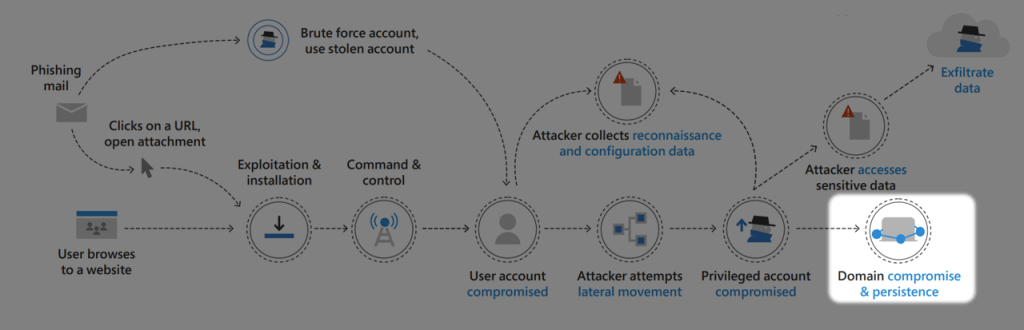
Another orientation help is the graphical representation of the current attack stage, e.g. attack stage Domain Compromised & Persistence.
Some basics before we run the attack
Every coming attack stage or step is accurate predefined and can confirmed by pressing ENTER. You can also skip a task.
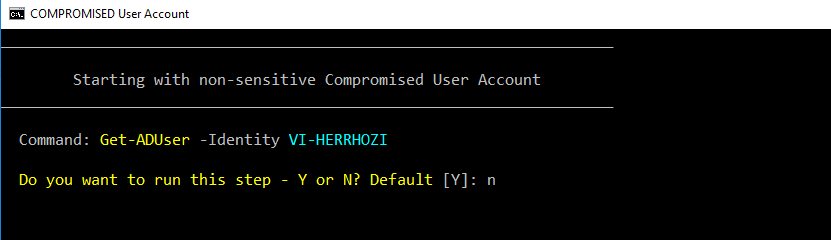
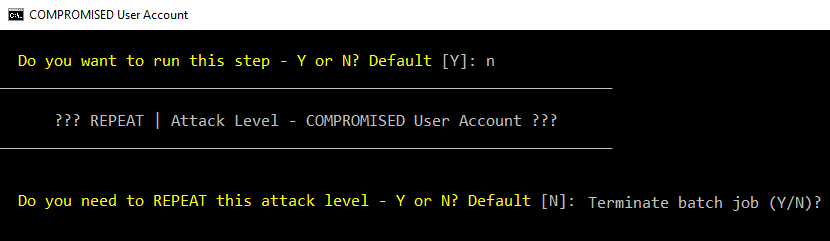
If needed you can repeat the previous attack stage.

With pressing CTRL + C the attack can be terminated at any time.
Let’s start the attack
Phase #1 | Before Privileged Escalation
Simply start the attack with the command 00.cmd (helper script).

The helper script
- Changed the working directory to c:\temp\as2go
- Customized the Terminal Windows regarding size, title & background color
- Checked the current permissions regarding file & LDAP, these depends on the attack level
- Started the the actual PowerShell script AS2Go.ps1
Start the attack from the beginning ….

Please confirm with Y, that you are at the beginning of the use case.Detailed steps can be found in the following short video (no sound available)
Attack Stage: User Account Compromised
____________________________________________________________________

            Attack Level - COMPROMISED User Account
                Was this a PRIVLEDGE(!) Account?
____________________________________________________________________


 -> Enter (Y) to confirm or (N) for a non-sensitive user! Default [N]:
Important: Please confirm with N, that your compromised user is a NON Privileged Account.
Detailed steps can be found in the following short video (no sound available)
Attack Stage: RECONNAISSANCE
Attacker will typically spend time researching
____________________________________________________________________

                   Attack Level - RECONNAISSANCE
      try to collect reconnaissance and configuration data
___________________________________________________________________

Do you want to run this step - Y or N? Default [Y]:
Detailed steps can be found in the following short video (no sound available)
Phase #2 | During Privileged Escalation
Regarding the lateral movement techniques, first I perform a Overpass-the-attack and a Pass-The-Ticket attack in the second step.
Attack Stage: LATERAL MOVEMENT
Running a Overpass-The-Attack to become a Help Desk Admin
__________________________________________________________________

                 Attack Level - LATERAL MOVEMENT
            Choose your Lateral Movement Technique!
___________________________________________________________________

Enter Pass-the-Hash (H), Pass-the-Ticket (T) or skip (S) this step! Default [H]:
Important: Please confirm with H.
Detailed steps can be found in the following short video (no sound available)
Attack Stage: Privileged Account Compromised
Just show some info, like cached Kerberos tickets
____________________________________________________________________

            Attack Level - COMPROMISED User Account
                Was this a PRIVLEDGE(!) Account?
____________________________________________________________________


 -> Enter (Y) to confirm or (N) for a non-sensitive user! Default [Y]:
Important: Please confirm with Y, that your compromised user is a Privileged Account.
Detailed steps can be found in the following short video (no sound available)
Attack Stage: RECONNAISSANCE
Second run with privileged rights
____________________________________________________________________

                   Attack Level - RECONNAISSANCE
      try to collect reconnaissance and configuration data
___________________________________________________________________

Do you want to run this step - Y or N? Default [Y]:
Detailed steps can be found in the following short video (no sound available)
Attack Stage: LATERAL MOVEMENT
Running a Pass-The-Ticket attack to become a Domain Admin
___________________________________________________________________

                 Attack Level - LATERAL MOVEMENT
            Choose your Lateral Movement Technique!
___________________________________________________________________

Enter Pass-the-Hash (H), Pass-the-Ticket (T) or skip (S) this step! Default [T]:
Important: Please confirm with T.
Detailed steps can be found in the following short video (no sound available)
Phase #3 | After Privileged Escalation
Attack Level – ACCESS SENSITIVE DATA
____________________________________________________________________

                Attack Level - ACCESS SENSITIVE DATA
               Try to find and exfiltrate these data
____________________________________________________________________

Do you want to run this step - Y or N? Default [Y]:
Detailed steps can be found in the following short video (no sound available)
Attack Level – Exfiltrate data
_________________________________________________________________

                  Data exfiltration over SMB Share
_________________________________________________________________
Detailed steps can be found in the following short video (no sound available)
Attack Stage: Domain compromise & persistence
Simulate attempts to achieve persistent domain dominance
____________________________________________________________________

          Attack Level - DOMAIN COMPROMISED AND PERSISTENCE

            #1 - create back door user
            #2 - export DPAPI master key
            #3 - PW reset and disable users
            #4 - Encrypt files
            #5 - create golden ticket
            #6 - reboot (all machines)
____________________________________________________________________

Do you want to run these steps - Y or N? Default [Y]:
Detailed steps can be found in the following short video (no sound available)
 Herr HoZi
2 thoughts on “AS2Go | Run over PtH & PtT Attack”