This post describes how to prepare the lab before you run the attack!Assuming you finished the configuration on DC, AdminPC & VictimPC.
- Create a set of new Victim Users
- Simulate domain activities from Admin PC
- Simulate a working HelpDesk on VictimPC
- Disable Real Time Protection on AdminPC & VictimPC
Create a set of new Victim Users
Logon to Domain Controller with your daily admin account and create new users based on your use case.

cd c:\temp\as2go
.\AS2GO-create-users.ps1 -Shortname HerrHozi 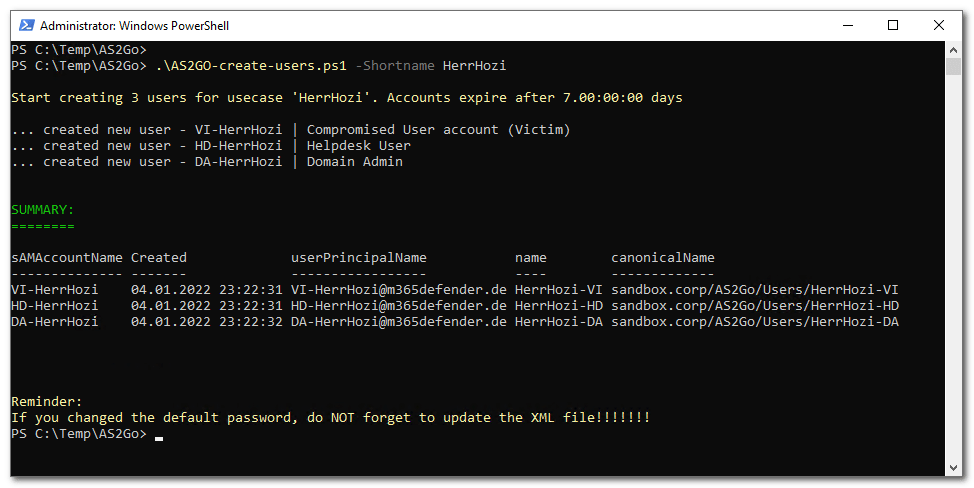
The following steps are now performed with the just created accounts, in my use case
- VI-HerrHozi
- HD-HerrHoZi
- DA-HerrHoZi
Simulate domain activities from Admin PC &
disable Real Time Protection
Logon to Admin-PC as Domain Admin with DA-HerrHoziDisable Real Time Protection
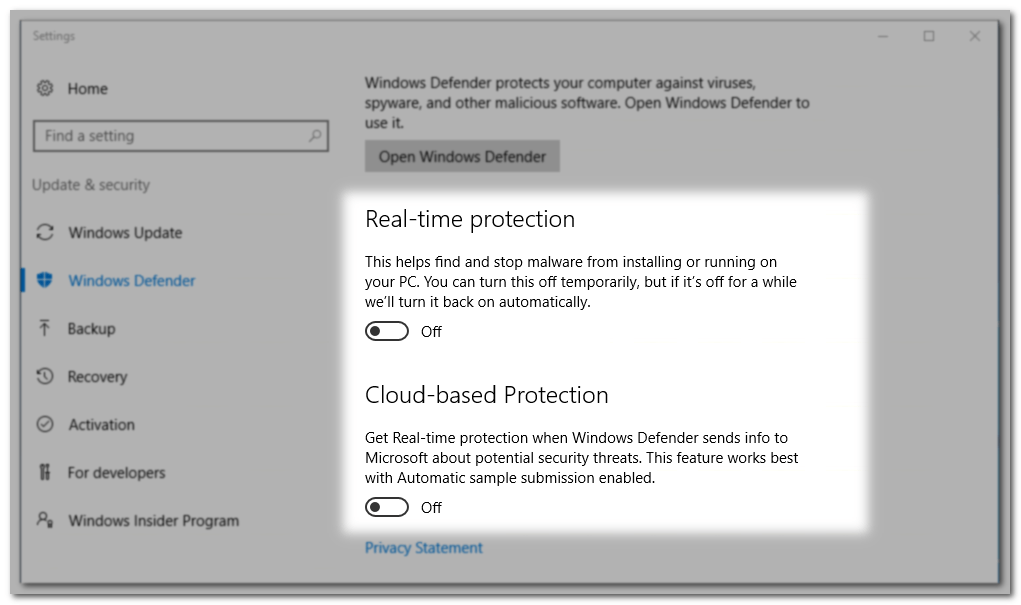
Simulate domain activities
Select Create Tickets > Right mouse click > Run with PowerShell
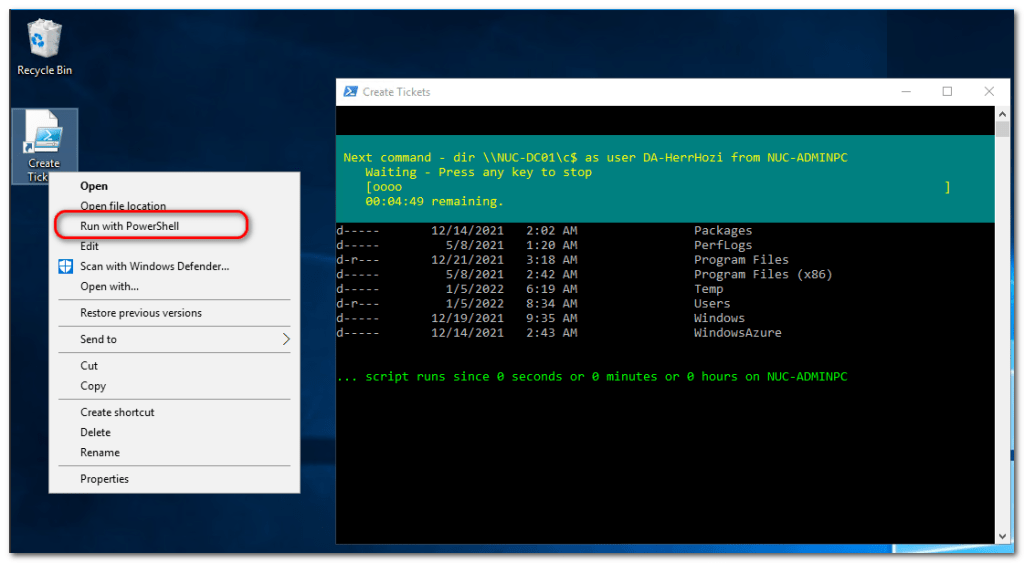
Keep this window open until you finished your attack demo.
Disable Real Time Protection &
Simulate a working HelpDesk on VictimPC
Logon to Victim-PC as Victim with VI-HerrHoziDisable Real Time Protection
Simulate a working HelpDesk
Option #1 – Victim PC is based on Windows 10
select shortcut CMD > SHIFT & Right mouse click > Run as different user > HD-HerrHoZi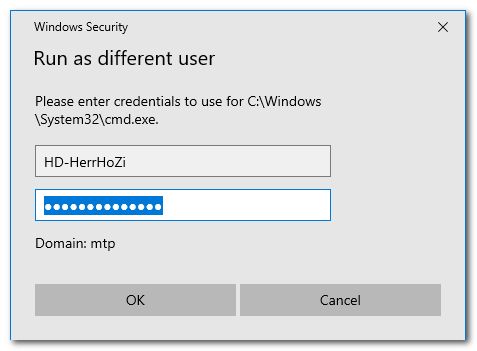
Keep the command promt open until you finished your attack demo.
Option #2 – Victim PC is based on Windows Server OS
additionally Logon to Victim-PC as Helpdesk User, e.g. HZ-HerrHoziDo NOT logout until you finished your attack demo.
 Herr HoZi
One thought on “AS2Go | Prepare the Attack”